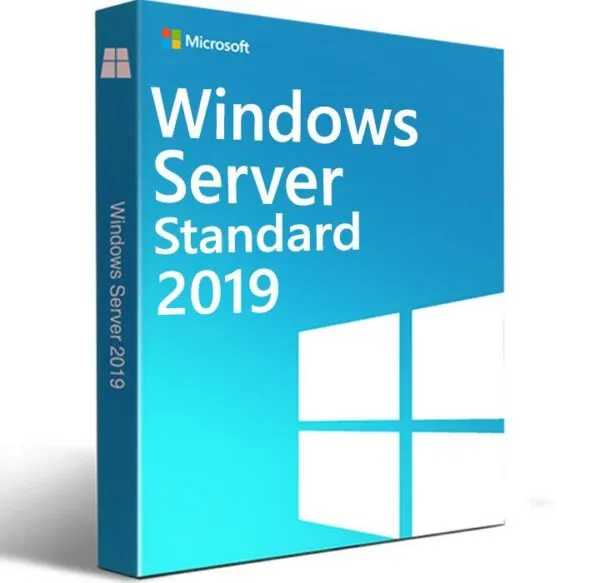
Windows Server 2019 is available in three editions: Standard, Datacenter and Essentials. Each is sold as a separate listing below. Add the one you need directly to your cart, or open its listing for full details, specifications and FAQ.
Which Windows Server 2019 edition fits your setup
The three editions run the same core operating system. What changes is how many virtual machines the license covers, which storage and virtualization features are included, and how users connect.
- Windows Server 2019 Standard suits physical servers and lightly virtualized environments. A fully licensed host can run two virtual machines, plus unlimited Windows Server containers (Hyper-V isolated containers are limited to two).
- Windows Server 2019 Datacenter is built for dense virtualization and private cloud. It covers an unlimited number of virtual machines on a fully licensed host and adds Storage Spaces Direct and unrestricted Storage Replica. Standard includes Storage Replica with limits, and does not include Storage Spaces Direct.
- Windows Server 2019 Essentials is meant for small organizations with one server. It is limited to 25 users and 50 devices, a single processor with 10 cores or fewer, and it does not require CALs.
If you are unsure between the first two, our Standard vs Datacenter comparison explains the decision by number of virtual machines. It is written for Windows Server 2022, and the two editions differ in the same way in 2019. For a small single-server setup, the Windows Server 2019 Essentials install and activation guide covers the full process.
How Windows Server 2019 licensing works
Standard and Datacenter are licensed per physical core. Every physical processor needs at least 8 core licenses, and every server needs at least 16 in total. All physical cores on the host must be licensed, whether or not you use them for virtual machines. The number of cores covered by each listing is shown on its own edition page.
Standard and Datacenter also require Client Access Licenses (CALs) for the users or devices that connect to the server. Essentials is the exception, because access rights are included. If you need CALs, see Windows Server CALs, or read how to choose between User CALs and Device CALs.
Choosing by workload
A file server, a domain controller or a single application server usually fits Standard. A host that will run many virtual machines, or that needs hyper-converged storage, is better served by Datacenter, because the license covers every virtual machine on the host and the cost per virtual machine falls as you add more. A small office with one server and 25 users or fewer can use Essentials and skip the CAL purchase.
Platforms and requirements
Windows Server 2019 runs on 64-bit hardware only. You can install it on a physical server or inside a virtual machine, including on Hyper-V. Each edition page lists the minimum processor, memory and storage requirements. Windows Server 2019 receives extended support from Microsoft until 9 January 2029.
Delivery and activation
Your product key is delivered by email, typically within minutes of payment confirmation. Install Windows Server 2019 from Microsoft installation media, then enter the product key during setup or afterwards in the activation settings. Activation is performed online with the key, during or after installation.
This is a one-time purchase for the license: there is no subscription attached to the key.




Reviews
Clear filtersThere are no reviews yet.